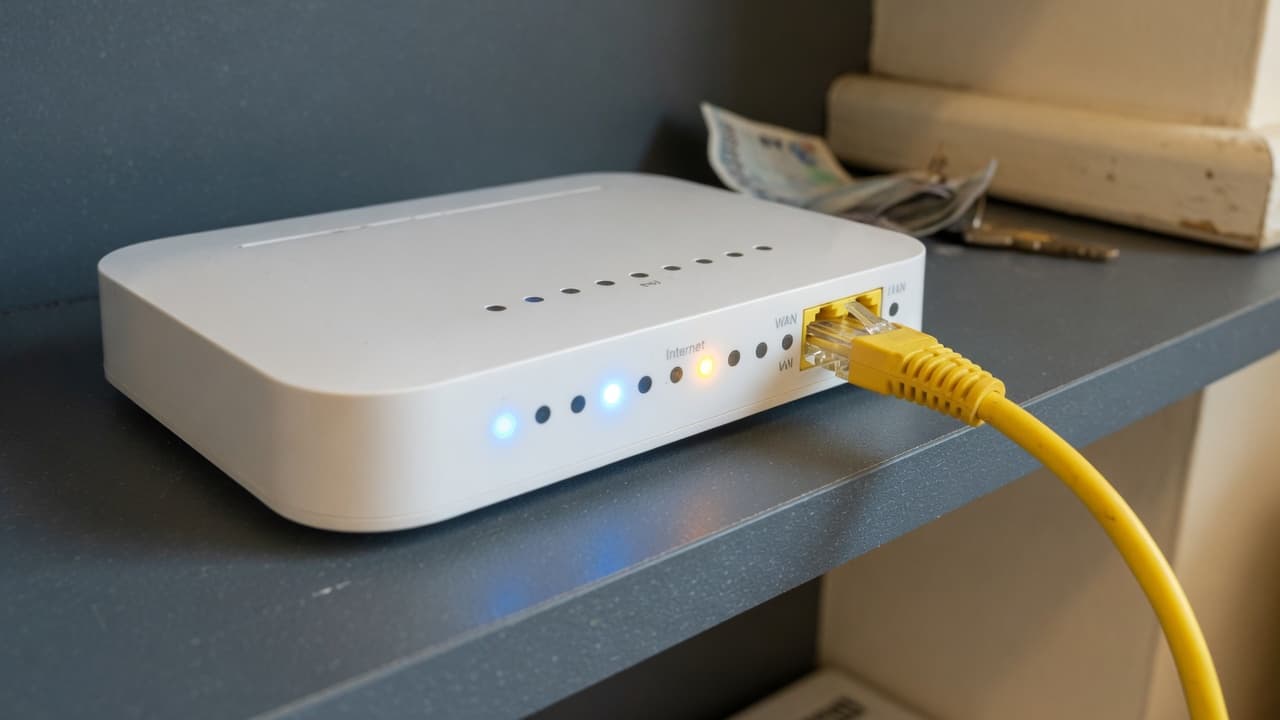
Technology and Speeds
Best Mesh Wi-Fi Systems to Pair with Your Broadband Router
The TP-Link Deco BE65 is our best overall mesh Wi-Fi system for fast UK broadband in 2026 because it combines tri-band Wi-Fi 7, four 2.
The quick answer
The TP-Link Deco BE65 is our best overall mesh Wi-Fi system for fast UK broadband in 2026 because it combines tri-band Wi-Fi 7, four 2.5Gbps ports and flexible wired or wireless backhaul. Choose eero 6+ for simpler Wi-Fi 6 value, Nest Wifi Pro for Google Home, or Netgear Orbi 770 for premium large-home coverage.
Key Takeaways
- Mesh improves Wi-Fi coverage inside the home but cannot increase the broadband speed entering it.
- Deco BE65 offers the strongest overall balance for fast full fibre; eero 6+ is the simpler-value option.
- Ethernet backhaul normally gives mesh nodes the fastest and most stable connection.
- Check ISP router, digital voice, port speed, subscriptions and device compatibility before buying.
The TP-Link Deco BE65 is our best overall mesh Wi-Fi system for a fast UK broadband connection in 2026. It combines tri-band Wi-Fi 7, four 2.5Gbps ports per unit and wired or wireless backhaul. Choose eero 6+ for a simpler, cheaper Wi-Fi 6 setup, Google Nest Wifi Pro for a Google Home household, or Netgear Orbi 770 when premium coverage and multi-gigabit ports matter more than price. The right choice depends on your broadband speed, property and cabling.
Product check: specifications, UK availability and recommendation evidence were checked on 22 August 2026. Prices change frequently and manufacturer coverage figures use ideal test conditions. Check the exact model, pack size, subscription features, returns policy and compatibility with your broadband provider before buying.
Best mesh Wi-Fi systems for UK broadband
| System | Best for | Wi-Fi and ports | Main limitation |
|---|---|---|---|
| TP-Link Deco BE65 | Best overall for fast full fibre | Tri-band Wi-Fi 7; four 2.5Gbps ports | Premium price and Wi-Fi 7 benefits need compatible devices |
| Amazon eero 6+ | Simple setup and good-value Wi-Fi 6 | Dual-band Wi-Fi 6; two gigabit ports | Limited ports and some advanced features require eero Plus |
| Google Nest Wifi Pro | Google Home and Matter households | Tri-band Wi-Fi 6E; two gigabit ports | Cannot mesh with older Nest Wifi or Google Wifi units |
| Netgear Orbi 770 | Large homes and premium multi-gigabit coverage | Tri-band Wi-Fi 7; 2.5Gbps WAN, LAN and backhaul | Expensive and physically large |
1. TP-Link Deco BE65: best overall mesh Wi-Fi
The Deco BE65 is the strongest all-round choice for a household that wants to keep a mesh system through its next broadband upgrade. TP-Link specifies tri-band Wi-Fi 7 across 2.4GHz, 5GHz and 6GHz, with Multi-Link Operation and four 2.5Gbps Ethernet ports on each unit. Those ports allow a multi-gigabit internet connection, wired devices and 2.5Gbps Ethernet backhaul without immediately adding a separate switch.
It is most useful with gigabit or faster full fibre, several modern devices, or Ethernet cabling between floors. Older phones and laptops still connect because Wi-Fi standards are backwards compatible, but they will not gain Wi-Fi 7 features. Do not confuse the system's combined theoretical wireless figure with the speed of one device or your broadband line. Real throughput falls with distance, walls, interference and client capability.
2. Amazon eero 6+: best simple Wi-Fi 6 mesh
eero 6+ is a sensible choice when the problem is patchy coverage rather than multi-gigabit speed. It uses dual-band Wi-Fi 6 with 160MHz channels and has two auto-sensing gigabit Ethernet ports. Setup and day-to-day management are designed around the eero mobile app, which makes it approachable for a household that does not want to tune channels or manage separate access points.
The trade-offs are important. Two ports fill quickly, wireless backhaul shares radio capacity with connected devices, and a gigabit port limits wired internet throughput to gigabit-class speeds. Some security, filtering and management features sit behind an eero Plus subscription, so compare the useful free feature set with the recurring cost. It remains a good fit for broadband up to around 500Mbps or 1Gbps where simplicity matters.
3. Google Nest Wifi Pro: best for Google Home
Nest Wifi Pro suits a home already using the Google Home app, Matter and Thread devices. Google lists Wi-Fi 6E, three radio bands, proactive band steering, client roaming, video-call quality controls and two gigabit Ethernet ports per unit. Each router can act as a mesh point, so a two or three-unit pack can extend coverage without choosing different router and satellite hardware.
Compatibility is the main warning. Google states that Nest Wifi Pro cannot join a mesh with previous-generation Nest Wifi or Google Wifi products. Its Ethernet ports are also limited to 1Gbps, so it is not the right purchase for delivering a multi-gigabit broadband tier to wired devices. The 6GHz band offers useful capacity but has shorter practical reach through walls than 2.4GHz, making node placement particularly important.
4. Netgear Orbi 770: best premium system for a large home
Orbi 770 is a premium tri-band Wi-Fi 7 system for large or demanding properties. Netgear's UK specification gives the router a 2.5Gbps internet port and three 2.5Gbps LAN ports, while each satellite has two 2.5Gbps ports. That supports wired backhaul and fast local devices without a gigabit bottleneck. The two-pack is advertised for up to 4,500 square feet, but treat that as a laboratory-style maximum rather than a promise for a brick-built UK home.
Its cost is difficult to justify for modest broadband or a small flat. Buy it when there is a real need for stronger hardware, a large floor area, multi-gigabit ports or many simultaneous devices. A well-placed cheaper Wi-Fi 6 system with Ethernet backhaul can outperform an expensive wireless mesh whose satellites sit behind several dense walls.
What is mesh Wi-Fi and how does it work?
A mesh network uses a main router and one or more connected nodes to provide a shared Wi-Fi name around the property. Compatible devices can move between nodes while the system steers them towards an appropriate access point and band. This differs from a basic extender, which may create a separate network name or repeat an already weak signal with less coordinated roaming.
Nodes communicate through backhaul. Wireless backhaul uses Wi-Fi, which is convenient but consumes radio capacity and weakens when nodes are too far apart. Ethernet backhaul connects nodes by cable and normally provides the fastest, most stable result. Tri-band systems can use a 6GHz or additional band for backhaul, but thick walls and floors still reduce performance. Mesh improves distribution inside the home; it cannot make the broadband line itself faster. Use our guide to diagnose and fix a Wi-Fi dead spot before choosing how many nodes to buy.
Wi-Fi 6, Wi-Fi 6E or Wi-Fi 7?
Wi-Fi 6 is enough for many UK homes and can offer excellent coverage with compatible devices. Wi-Fi 6E adds the 6GHz band, creating more clean capacity at short range. Wi-Fi 7 adds features including Multi-Link Operation and wider channels, with much higher potential throughput. Those advances matter most with new client devices, fast full fibre, congested homes and multi-gigabit wired ports.
Read our plain-English Wi-Fi 7 guide for the UK spectrum limits, compatibility checks and an upgrade decision table before paying extra for a Wi-Fi 7 mesh.
Future-proofing has limits. A Wi-Fi 7 mesh cannot give an older Wi-Fi 5 laptop Wi-Fi 7 performance, and a 100Mbps broadband line remains a 100Mbps line. For a normal two-person home on 100 to 300Mbps broadband, a good Wi-Fi 6 system may be better value. For a gigabit connection expected to remain in service for years, Wi-Fi 7 and 2.5Gbps ports are easier to justify.
How many mesh nodes do you need?
Start with two units for a typical two-storey home and add a third only when the layout or measured coverage requires it. More nodes are not automatically better. Units placed too close can increase interference, while units placed in existing dead zones have too little signal to relay. Put a wireless satellite part-way between the main router and the problem room, not inside the room where the old Wi-Fi already fails.
- Flat or small home: test one modern router before buying mesh.
- Typical semi-detached home: two well-placed nodes are often a sensible starting point.
- Three floors or an extension: consider three nodes or Ethernet backhaul.
- Thick stone walls or outbuildings: wired access points, powerline-assisted mesh or professional cabling may work better.
How to connect mesh Wi-Fi to your broadband router
- Confirm whether your provider requires its own router for authentication, digital voice or television.
- Connect the primary mesh unit by Ethernet to the optical terminal, modem or provider router.
- If supported, use modem or bridge mode so the mesh performs routing without double NAT.
- If bridge mode is unavailable, use access-point mode on the mesh or disable the provider router's Wi-Fi and check gaming, VPN and port-forwarding behaviour.
- Place the next node where it still receives a strong link, then test every important room.
- Update firmware, use WPA2 or WPA3, set a strong administrator password and create a guest network.
TP-Link's UK support documentation describes both router and access-point approaches with an existing modem router. Provider implementations differ, particularly Sky authentication and digital voice. Do not remove the ISP hub until you have confirmed that the replacement can establish the connection and retain any telephone or TV service you use.
Mesh Wi-Fi buying checklist
- Match the WAN and LAN port speed to your broadband tier and wired devices.
- Check whether the pack supports Ethernet backhaul and whether every node has usable ports.
- Confirm the Wi-Fi generation used by your actual phones, laptops, televisions and consoles.
- Separate included parental controls and security updates from paid subscriptions.
- Check compatibility with the ISP connection, digital voice and television service.
- Choose the smallest pack that solves the measured coverage problem and buy from a retailer with a practical returns policy.
Bottom line
Buy the Deco BE65 when you want the best balance of Wi-Fi 7, multi-gigabit ports and flexible backhaul. Choose eero 6+ for straightforward Wi-Fi 6 coverage, Nest Wifi Pro for a Google-centred smart home, or Orbi 770 for a premium large-home network. Before spending, test the broadband beside the existing router. If that test is slow, fix the line or package first. Mesh is the answer to a home coverage problem, not every broadband problem.
Compare deals now
Today's best broadband deals — sorted by price.
We may earn a commission when you click a “Get Deal” button. This does not affect our editorial independence.
- Best Value

- Speed
- 150 Mbps
- Monthly price
- £12.50/mo
- Contract
- 12 months

- Speed
- 35 Mbps
- Monthly price
- £18.50/mo
- Contract
- 12 months
- Fastest

- Speed
- 300 Mbps
- Monthly price
- £19.00/mo
- Contract
- 18 months
| Provider | Speed | Monthly price | Contract | Affiliate link |
|---|---|---|---|---|
| 150 Mbps Superfast | £12.50/mo | 12 months | |
| 35 Mbps Superfast | £18.50/mo | 12 months | |
| 300 Mbps Ultrafast | £19.00/mo | 18 months |
Frequently Asked Questions
Editorial and Source Notes
We review guides against our published methodology and add source links where external verification materially helps the reader check claims, dates, and regulator-backed context.
- BroadbandPicker review methodology
- BroadbandPicker editorial policy
- TP-Link Deco BE65 UK specifications and compatibility, verified 22 August 2026
- TP-Link guide to using Deco with an existing broadband router, verified 22 August 2026
- eero 6+ UK technical and security specifications, verified 22 August 2026
- Google Nest Wifi Pro UK specifications and compatibility, verified 22 August 2026
- Netgear Orbi 770 UK specifications, verified 22 August 2026
- Which? mesh Wi-Fi and extender testing guide, verified 22 August 2026
- TechRadar tested mesh Wi-Fi recommendations, verified 22 August 2026